Launches · September 29, 2026 · 8 min read
OpenAI’s dots are always-on agents on GPT-6 Astra with their own cloud computer, rolling out to Pro and Business Premium in eligible markets, and the company says conversations with your dot do not count toward ChatGPT usage limits while Codex and ChatGPT Work tasks still do.

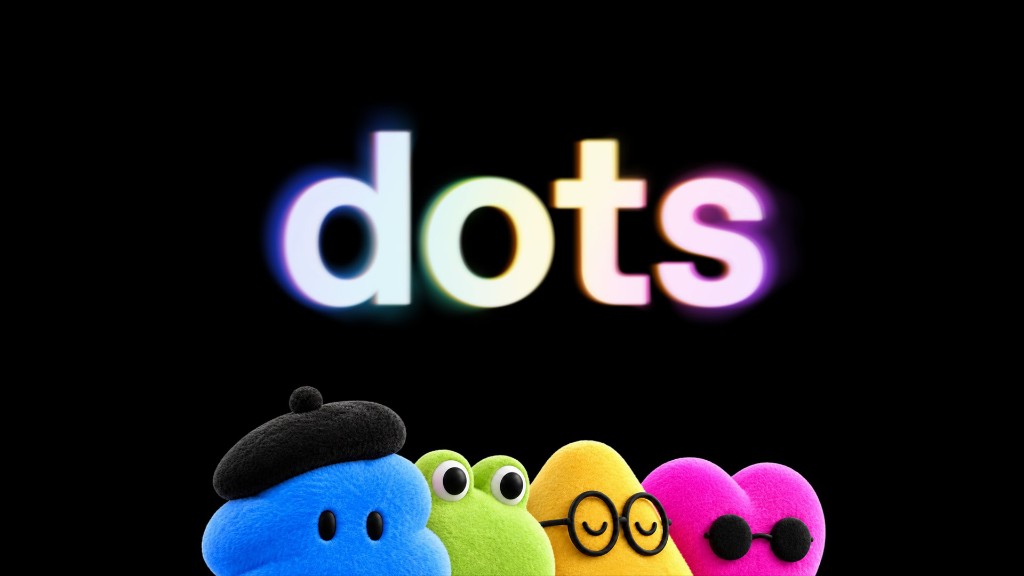
On September 29, 2026, OpenAI published a blog post titled “Introducing dots” and a matching product page on chatgpt.com. The company describes dots as “remarkably capable, always-on agents built to handle everything.” They run on GPT-6 Astra, OpenAI’s most aligned model in the marketing copy, and each dot gets its own cloud computer, a browser, and access to more than four thousand apps through OpenAI’s plugin ecosystem. Users can reach a dot in ChatGPT on web, desktop, and mobile, in Slack and Microsoft Teams, with texting described as coming soon. OpenAI is beginning a rollout to Pro and Business Premium subscribers in eligible markets, with Enterprise, Edu, and Healthcare workspaces able to try a beta when an admin enables it. The launch is positioned as a new way to work with AI: persistent, proactive, and separate from a single chat thread.
One primary dot, many channels
OpenAI’s getting-started flow starts with a single primary dot. You name it, connect apps, and let it introduce itself. The company says that dot is included in Pro or Business Premium at no extra cost, available around the clock for conversation, thinking, and “staying on top of what matters.” Over time, OpenAI envisions teams of dots working together. For organizations, it is previewing specialist dots with their own identity, IT-provisioned hardware, and deeper ties to systems of record so a dot can own a defined responsibility inside a company.
Channel coverage is part of the product claim, not an afterthought. The features page shows dots messaging inside ChatGPT, following up in Slack, and surfacing in Microsoft Teams. OpenAI says context carries across channels, so a project started in ChatGPT can continue when the working team moves to Slack. Voice calls are supported when you need to talk something out. The marketing scenarios include calendar moves, FAQ updates, and draft replies to a manager, always with language that keeps approval on the human side for consequential steps.
Cloud computer and proactive research
The technical hook is infrastructure per agent. Dots work on their own cloud computer while your machine stays separate unless you explicitly connect it. OpenAI says you can open the dot’s computer at any time to inspect its work, and you can grant permission for the dot to use your laptop when being “directly alongside you” is useful. A dot can run several projects in parallel without forcing you to juggle separate threads for each one.
When you are not actively chatting, OpenAI describes background behavior called proactive research. In that mode, the dot looks for ways to help using apps you already connected, but only through tools restricted to read-only access. Read-only, in OpenAI’s definition, means the dot cannot send messages, change app content, or control your browser or computer. That line is how the company squares “always working on your behalf” with a promise that your accounts are not being rewritten while you sleep. The same post still lists examples where dots prepare invoices, build pull requests, or place a DoorDash order after approval, which implies write actions exist when you are in an interactive task flow with permissions and review gates engaged.
What the scenarios commit to
The launch post and features page are long on role-based stories. A developer’s dot watches customer feedback, scopes fixes, builds and tests them, and returns pull requests with screen recordings. A product lead’s dot revises launch materials when scope changes. A scientist’s dot reruns analyses as new data lands. A sales lead’s dot updates proposals when requirements shift. A content creator’s dot drafts clips, show notes, and social posts in the creator’s voice. OpenAI also cites internal use: a bug mentioned in Slack triggers investigation, a design becomes a working app while humans read customer feedback, and an early tester’s dot noticed a missing invoice, prepared it, and sent it after approval.
Those stories are not benchmarks. They do not name models beyond GPT-6 Astra, do not publish success rates, and do not specify which integrations each vignette used. They function as a definition of the job OpenAI wants dots to occupy: not a one-shot answer, but ongoing ownership of a goal with review checkpoints. The features page’s “day with your dot” section adds consumer-scale examples, including rescheduling a meeting that conflicts with a child’s recital and offering DoorDash favorites with full totals before placing an order once you approve. The through-line is the same. The dot proposes; you confirm when money, calendar, or external commitments are involved.
Usage limits and the first month
Pricing shape matters because dots sit on top of existing ChatGPT plans. OpenAI states plainly that conversations with your dot do not count toward your ChatGPT usage limits. When you ask your dot to start or manage tasks in Codex or ChatGPT Work, those tasks count toward usage limits as usual. Pro and Business Premium plans include an allowance for “deeper work,” with extended limits for the first month after launch. OpenAI says that in the future you will be able to add more dots and scale each dot’s output by increasing its speed or the total amount of work it can take on per month. The September 29 materials do not publish dollar prices for those future add-ons.
Setup is gated to desktop for the first pass. OpenAI tells users to create their first dot in the ChatGPT desktop app or a desktop browser, connect apps, and complete introduction there. After that, messaging is available in the mobile app. Eligible markets are defined in a help link rather than listed inline on the blog post. Enterprise access requires a workspace admin to enable the beta. That split keeps dots off the free tier at launch and ties the feature to the same paid strata that already carry Codex and advanced model access.
Safeguards, rules, and training data
OpenAI layers agent-specific policy on top of ChatGPT’s existing protections. Dots use auto-review to check actions that could affect accounts or share information against your instructions, custom rules, and safety requirements. Custom rules can allow specific actions, require approval, or block them; built-in safety requirements always apply. Sensitive tasks such as changing a password always stay with the user. Activity view is where OpenAI says you can follow progress, including background work, and redirect the dot.
For signing into supported websites, dots can use saved passwords without exposing them to the model, according to the launch post. Security safeguards are described as defending against malicious instructions and monitoring for potentially harmful behavior, with the ability to pause or stop work if monitoring raises a concern. OpenAI points readers to a dots safety blog, Help Center articles, and a system card for detail it does not repeat in the announcement.
Training defaults follow ChatGPT workspace rules. OpenAI does not use content from Business, Enterprise, or Edu workspaces to improve models by default. On personal plans, users control whether dots’ conversations and work are used for improvement. OpenAI says it does not train directly on proactive research or the dot’s notes to itself, but information from them may be used if it helps inform an eligible conversation or task depending on settings. The post ends with a standard caution that dots can still make mistakes and consequential work should be reviewed.
Specialist dots and Microsoft Agent 365
Consumer and team dots share a brand with a second track aimed at enterprises. Specialist dots are organization-scoped agents with their own identity, credentials, and access to internal systems. OpenAI says it is starting with focused enterprise pilots and that engineering teams will work with customers to define responsibilities, tool access, and review workflows. Early internal testing, in OpenAI’s telling, covered procurement, invoice processing, email marketing, customer support, and commercial contracting.
Microsoft appears as a governance partner, not only a Teams surface. OpenAI is working to integrate specialist dots with Microsoft Agent 365 so businesses can manage dots through Microsoft enterprise security and governance controls they already use. That integration is described as a goal in progress rather than a same-day switch flip. It signals where OpenAI expects regulated buyers to ask questions: identity, credential boundaries, and audit trails outside the ChatGPT UI.
How dots sit in the agent market
Dots arrive in the same week as other always-on agent pitches from competitors. The distinguishing claims in OpenAI’s own words are GPT-6 Astra as the engine, a dedicated cloud computer per dot, proactive read-only research when idle, cross-channel presence, and usage accounting that exempts dot chat from normal ChatGPT caps. What OpenAI does not claim in the September 29 posts is full autonomy without approval on financial or account-changing actions. The product is sold as extension of the user, with custom rules and auto-review as the contract.
For readers comparing launches, the honest split is between narrative and meter. Manus, Anthropic, and others have been shipping agent environments with computers, plugins, and persistent tasks on their own calendars. OpenAI’s dots consolidate those ideas under the ChatGPT brand, tie them explicitly to GPT-6 Astra, and embed them in Slack and Teams alongside the consumer app. Until third parties test the same workflows, the primary source for what dots are is still the two pages OpenAI published on September 29: the index post for policy and architecture, the features page for scenarios and UI framing. Everything else is rollout eligibility and whether the vignettes match your connected apps.